
How to Store Your Seed Phrase Safely: 7 Rules That Work
Your seed phrase is your wallet. These 7 storage rules hold up against fire, theft, malware and memory, plus the mistakes that keep costing people their crypto.

Written by Sarah Mitchell
8 min read
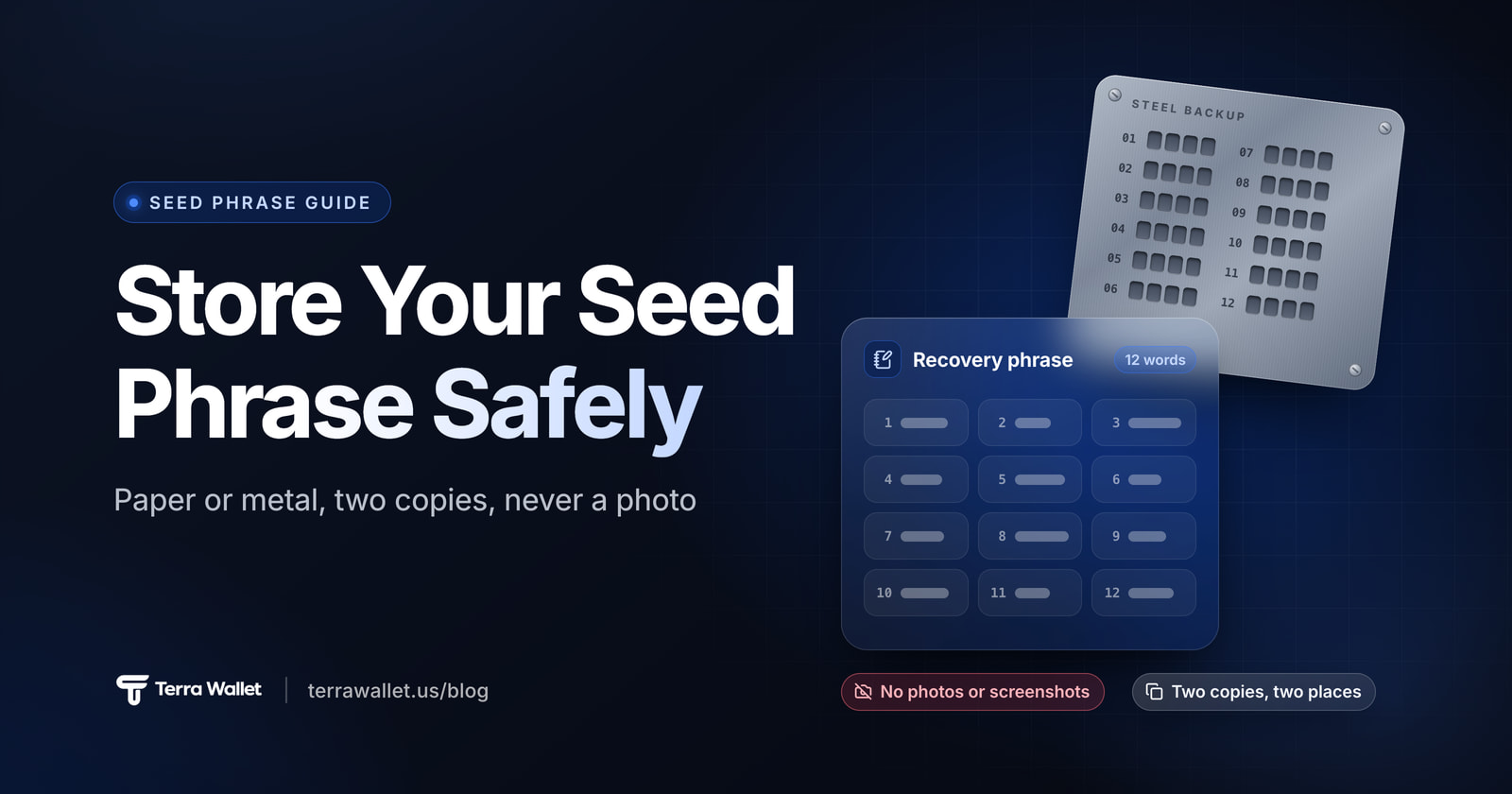
How to store a seed phrase safely comes down to a few rules: write it by hand on paper or metal, keep it offline, make two copies for two separate secure places, never photograph it or type it into a connected device, and test it with an empty wallet before you rely on it.
- Write the phrase by hand, keep it offline, and never photograph it, screenshot it or type it into a website.
- Keep two copies in two separate secure places, and move to metal for the long term.
- Photo-scanning malware is real: in February 2025 Kaspersky exposed SparkCat, hidden in Google Play and App Store apps to find recovery phrases in photo galleries, and in April 2026 it found a new variant in both stores.
- Test the backup by restoring an empty wallet before you fund it.
- Do not cut the phrase in half. SLIP-39 shares or multisig split control safely.
Your seed phrase is not a backup of your wallet. It is the wallet: those 12 or 24 words rebuild every key you own, on any device. Anyone who reads them can take everything, and if you lose them along with your phone, nobody can bring your crypto back.
Most wallets follow BIP39, the standard that turns random data into words from a fixed list of 2,048. Each word stands for 11 bits. A 12-word phrase holds 128 bits of randomness plus a 4-bit checksum, and a 24-word phrase holds 256 bits plus an 8-bit checksum.
Either length is secure against guessing, so pick the one you will copy accurately. Real losses come from phrases being found, photographed or phished, not guessed. And your wallet's PIN or password restores nothing, because it only locks the app on one device.
Two details from the standard help when you write your backup:
- The first four letters are enough. The English list is designed so that the first four letters identify each word without ambiguity. That is why many metal backup kits use just four letters per word.
- The checksum catches some mistakes, not all. Only about 1 in 16 random 12-word combinations is valid, so a wallet rejects many typos. A wrong word that happens to pass the check opens a different, empty wallet with no warning.
- Write it by hand, in order, and number each word. Copy it in good light, check every spelling and read it back once. Clear block letters beat cursive when someone else may need to read it years from now.
- Keep it off every connected device. No photos, screenshots, notes apps, email drafts, chats or cloud documents. In February 2025, Kaspersky researchers reported malware called SparkCat in apps on both Google Play and Apple's App Store that used text recognition to search photo galleries for recovery phrases, and the infected Google Play apps alone had more than 242,000 downloads. In April 2026 they reported a new variant, again found in both stores.
- Make two copies and keep them in two places. A single copy has a single point of failure: a fire, a burst pipe, a box lost in a move. Two copies in two separate secure places mean one bad day cannot erase your access.
- Move to metal for the long term. Paper burns, fades and turns to pulp in water. A phrase stamped or engraved on stainless steel survives fire and flooding far better, and four letters per word keep the stamping quick.
- Keep it private and plain. Do not label the envelope "crypto seed", do not tell people what you hold, and never post a photo of your setup, even a blurred one. The fewer people who know a backup exists, the fewer who can be tempted or tricked.
- Test it while the wallet is still empty. Create the wallet, write down the phrase, remove the wallet from the app and restore it from your paper. If the same receiving address comes back, your copy is good, and any mistake has cost you nothing.
- Never type it anywhere except a wallet you are restoring. No website, form, chat or support agent ever needs your phrase. Fake "wallet validation" pages and people posing as support exist for one purpose: to get you to type or hand over those words yourself. Our crypto phishing checklist shows how to spot those pages before you type anything.
Save this list and check your setup against it once a year.
The right place depends on who you live with, how much you hold and who might need to reach the backup if something happens to you. Here is how the common options compare.
| Option | Protects against | Weak spots |
|---|---|---|
| Fire-resistant home safe | Casual discovery, small fires | Burglars look for safes, and everyone in the house knows where it is |
| Bank safe deposit box | Fire, flood and burglary at home | Not insured by the FDIC, reachable only in bank hours, and access after the renter's death depends on state law |
| Trusted relative's home | A disaster at your own address | Relies on that person's discretion and their own home security |
| Sealed envelope with an attorney | Your family losing access if you die or cannot act | The office becomes part of your security, so use packaging that shows tampering |
| Encrypted password manager | Physical loss, and it is convenient | Puts the phrase on internet-connected devices; only as strong as your master password and every device you unlock it on |
| Photo, screenshot or cloud note | Nothing worth the risk | Synced, searchable and a known target for malware |
The safe deposit box limits come from the regulator itself: the FDIC treats a box as storage space rather than a deposit account, so nothing inside it is covered by deposit insurance if it is stolen or damaged (FDIC guidance).
A sensible pattern for most people is one metal copy at home in a place that is not obvious, plus a second copy off-site somewhere you trust, such as a relative's home or a safe deposit box. If one stolen copy would be a disaster, use the stronger setups below.
Cutting a phrase into halves stored in different places trades one risk for two. Anyone who finds one half knows part of your secret, and losing either half locks you out.
If you want a backup that no single location can expose, use a scheme built for it. SLIP-39 splits a secret into shares so that, for example, any two of three restore it, while fewer shares than the threshold reveal nothing about it. It is a different standard from BIP39 and works only in wallets that support it, and multisig, where moving funds needs several separate keys, is the other route.
BIP39 allows an optional passphrase, sometimes called the 25th word, that is mixed into the seed. It protects you if someone finds your words, but every passphrase produces a valid wallet, so a typo opens a different, empty one with no error message. If you use one, back it up separately and make sure your restore wallet supports it, since some do not: Terra Wallet, for example, has no passphrase field.
A phone and its backup in the same drawer means one burglary takes both. Keep the phrase away from the devices that hold the wallet.
Ink fades, paper gets thrown out in a move, and people forget which book they used. Once a year, check that each copy is where you left it and still readable.
A phrase cannot be changed or locked. If someone may have seen it, create a new wallet with a new phrase and move your funds to it, most valuable first, keeping enough of each network's coin to pay the fees.
If your phone breaks and you need those words, our guide on how to recover a crypto wallet walks through the restore. Our guide to building a crypto inheritance plan covers how your family could reach your backup if you cannot.
Terra Wallet creates your 12 or 24-word phrase on your device using BIP39 and never sends it anywhere. During setup it asks you to pick the right word for three positions, so a careless copy gets caught early.
On Android, the screens that show or ask for your phrase block screenshots and screen recording. If you copy the phrase, the app warns you first and clears the clipboard after one minute. You can view the phrase again under Settings, Recovery phrase, after confirming with your passcode or biometrics.
The security overview explains how keys are stored, and the recovery phrase answers in our FAQ cover each step. Our support team will never ask for your recovery phrase, and anyone who does is running one of the fake support scams that target wallet users.
Offline, in your own handwriting or stamped on metal, with two copies in two separate secure places that few people know about. Test it once by restoring an empty wallet. For large amounts, SLIP-39 shares or multisig remove the single point of failure.
A plain cloud note or photo is not: it is synced, searchable and a known malware target. An encrypted password manager is safer, but it still puts the phrase on internet-connected devices, so it is only as strong as your master password and every device you unlock it on. For meaningful amounts, keep an offline copy as well.
Yes, many people use one for a second copy. Box contents are not covered by FDIC insurance, you can only reach the box during bank hours, and access after the renter's death depends on state law. Keep your other copy somewhere you can reach at any time.
Sources
- github.com: bitcoin/bips, BIP-39 (opens in a new tab)
- github.com: satoshilabs/slips, SLIP-39 (opens in a new tab)
- fdic.gov: Five things know about safe deposit boxes home… (opens in a new tab)
- kaspersky.com: Kaspersky discovers new crypto stealing trojan in appstore… (opens in a new tab)
- kaspersky.com: Kaspersky discovers new SparkCat variant bypassing app store… (opens in a new tab)
- terrawallet.us: FAQ
- terrawallet.us: Security overview